 Wakey
Wakey
Comparison
Alarm Apps for Heavy Sleepers in 2026: Mission Alarms Compared
Louder beeps stop working. What actually separates the apps built for people who sleep through everything, and the trade-offs each one makes, ours included.
The best alarm app for heavy sleepers is the one that makes you prove you’re awake before it goes quiet. Volume helps less than you’d hope. What works is friction (a task you can’t do half-asleep), stakes (something you lose if you go back to bed), or both. For a broad choice of missions on iPhone and Android, start with Alarmy. On an iPhone running iOS 26, Awake is the newer option. For a real penalty, Nuj charges you money. If you wake easily but feel wrecked, a gentle smart-wake alarm like Sleep Cycle may be enough. Wakey, the app we’re building, is coming soon, and we cover where it falls short too.
How we compared (and when we checked)
We’re the team building Wakey, so weigh this accordingly. Every competitor fact below comes from the developer’s own website or store listing, checked on September 10, 2026. Features and prices change often, so check again before you pay.
We didn’t run a lab test, and no developer publishes independent success rates, so this isn’t a ranking by results. We compared five things:
- How it stops: what you have to do to silence it.
- Going back to bed: whether anything catches you if you lie down again.
- Stakes: whether oversleeping costs you anything.
- Platforms: iPhone, Android or both.
- Price: free tier and paid plans, in US dollars.
Three ways an alarm app can wake a heavy sleeper
Most heavy-sleeper apps fall into one of three camps, and each solves a different problem.
Friction: stopping the alarm requires being awake
Mission alarms keep ringing until you finish a task: solve problems, scan a barcode in the kitchen, photograph a spot you registered, do squats. The logic is simple. If you can do it, you’re awake.
The weak spot is that some tasks can be done lying down. You can solve three math problems with one eye open and the duvet over your head. A task that makes you walk to another room is much harder to fake.
The second weak spot comes after the alarm stops. Sleep inertia, the groggy stretch right after waking, usually lasts 15 minutes to an hour and sometimes longer, according to the Sleep Foundation. That’s exactly when lying back down “for a minute” sounds reasonable, and why some apps add a follow-up check that rings again if you don’t confirm you’re up.
Stakes: oversleeping costs you something
Stakes apps don’t make the alarm harder to stop; they make failing more expensive, with real money or something softer, like a streak you’d hate to break. They work best when you already want to get up and just need a reason not to reopen the negotiation at 6 AM. (Our guide on how to stop hitting snooze explains why that negotiation is so lopsided.)
Smart-wake: the alarm rings during lighter sleep
Smart-wake alarms go the other way. You set a window before your latest wake time, and the app tries to ring during lighter sleep, usually with softer sounds. Waking can feel less brutal, but nothing stops you from switching it off and rolling over. It suits people who wake easily and feel groggy more than people who sleep through anything.
Heavy-sleeper alarm apps compared
Here’s how five apps line up. Sources are linked in the app notes below; “coming soon” means Wakey isn’t on either store yet.
| App | How you stop it | Going back to bed | Stakes | Platforms | Price (US) |
|---|---|---|---|---|---|
| Alarmy | A mission: math, memory, shake, typing, squats, steps, QR/barcode or a photo of a registered spot | Wake Up Check rings again if you don’t confirm (Premium) | None | iPhone, Android | Free tier; Premium subscription, price varies by plan |
| Awake | Missions such as steps, push-ups, puzzles and math; a tap fallback that gets harder each time | Wake-Up Check rings again if needed | None | iPhone, iOS 26 or later | Free; Awake Pro at $6.49, $19.99 or $59.99 lifetime |
| Nuj | Scan a barcode you registered before a timer runs out | Alarms are stored in the cloud and lock before they ring | A money penalty you set, paid to charity | iPhone, Android | Free download; the penalty is charged only if you fail |
| Sleep Cycle | A normal dismiss; rings in a 10–30 minute window once you reach lighter sleep | None | None | iPhone, Android | Smart alarm on the free plan; Premium for custom sounds and watch support |
| Wakey | One of 4 missions per alarm (math, push-ups, squats, or an affirmation read aloud); no snooze button | No re-ring check; the alarm time locks 4 hours ahead | Win/loss streak with 9 badges | iPhone, Android (coming soon) | Free tier with 1 alarm; Premium $9.99/mo or $29.99/yr |
Competitor details checked September 10, 2026, on each developer’s own site or US App Store listing. Prices can change and may differ outside the US.
The apps, one by one
Alarmy: lots of missions, on both platforms
Alarmy is a mission alarm for iPhone and Android. Its site lists eight mission types, from math and memory games to squats, steps, QR/barcode scans and a photo of a spot you registered. That range matters for heavy sleepers: you can pick a mission that forces you out of bed rather than one you can finish under the covers. Its Wake Up Check rings again if you don’t confirm you’re up a few minutes later.
Trade-offs: Wake Up Check and the Alarm Sound Power-Up are Premium features, and the long list of options takes some setting up.
Awake: a newer option for recent iPhones
Awake needs iOS 26 or later. Missions include steps, push-ups, puzzles and math, and its Wake-Up Check can ring again after you’ve finished. If a mission isn’t working there’s a tap fallback, and the number of taps rises each time you use it. It also allows snoozes of up to 30 minutes, which is flexibility or temptation, depending on who you are.
Trade-offs: iPhones that can’t run iOS 26 are out. Awake Pro in-app purchases are listed at $6.49, $19.99 and $59.99 (lifetime); the listing doesn’t say which is which.
Nuj: real money on the line
Nuj takes the stakes route. You register barcodes around your home, and after the alarm you must scan one before a timer runs out, or you’re charged a penalty you set, which goes to charity. The anti-cheat is thorough: alarms are stored in the cloud, so switching your phone off doesn’t cancel the penalty, and they lock before they ring, so you can’t cancel at the last minute.
Trade-offs: It works because it stings. If paying for a bad night would make mornings more stressful rather than more motivated, skip it.
Sleep Cycle: gentle, for lighter sleepers
Sleep Cycle is a sleep tracker whose smart alarm rings within a 10- to 30-minute window you choose, aiming to catch you in lighter sleep, using only your phone. The smart alarm is on the free plan; custom alarm sounds and smartwatch integration need Premium.
Trade-offs: No mission, and nothing to stop you switching it off. It makes sense if your problem is feeling awful when you wake, not failing to wake.
Where Wakey fits, and what it doesn’t do
Wakey is our app. It’s coming soon to iPhone and Android and isn’t on either store yet. Here’s what it does, and where it falls short.
There’s no snooze button. The only way to stop the alarm is to finish the mission you picked for it: math, push-ups or squats counted by your camera, or an affirmation read aloud. All four are checked on your phone, and no photo or video leaves it: reps are counted by on-device ML Kit pose detection. Speech is recognized on the device wherever the phone supports it.
You can’t get trapped. If you fail a mission three times, or it can’t run (the camera or microphone permission is off, say), Wakey switches you to math. Someone who is awake can always stop it.
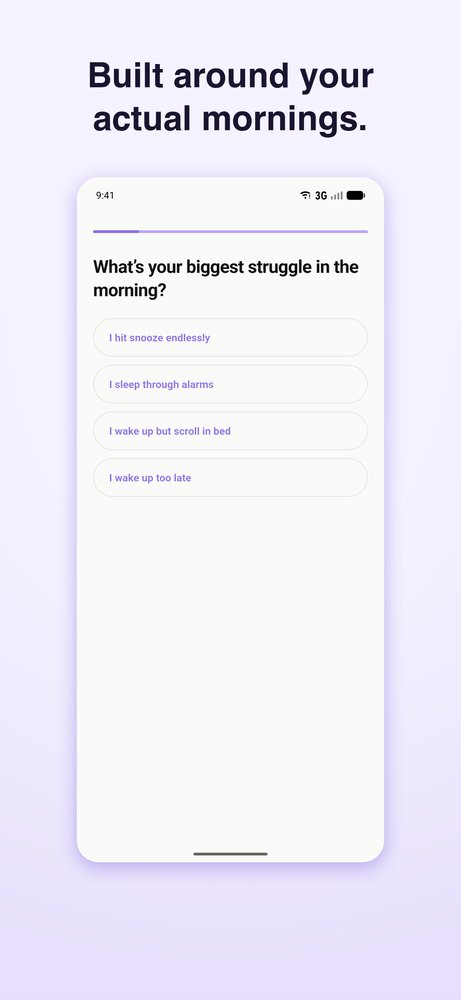
The stakes are a scoreboard. Finish the alarm’s mission within 30 minutes of the alarm time, or tap Log Wake Up before it, and the morning counts as a win. Wins build a streak, with nine badges from Early Riser (1 day) to Centurion (100 days). Within 4 hours of an alarm, its time locks: “Locked — you’re within 4 hours of this alarm. No moving the goalpost.” The 5 AM version of you can’t quietly push 6:30 back to 8:00.
You can test it first. Settings has a “Will my alarm ring?” check for notifications, the exact-alarm permission and, on Android, battery optimization, with fix buttons and a 1-minute test alarm.
What Wakey doesn’t do:
- No wake-up check. Finish the mission and crawl back into bed, and Wakey won’t ring again. Alarmy and Awake will.
- One alarm tone. No sound picker or custom ringtones.
- Fixed mission settings. Math is 3 medium problems; exercise is 10 reps.
- No money or friends on the line. Your streak is the only stake.
- Not out yet. You can’t install it today.
Once it’s out: the free tier gives you one alarm with a banner ad, the same missions as Premium and your full streak history. Premium removes the alarm limit and the ads, at $9.99 a month or $29.99 a year. The alarm and missions are never paywalled. Any introductory offer is shown on the purchase screen before you buy.
Which is the best alarm app for heavy sleepers? Match the type to your mornings
Start with how you actually fail, not with the longest feature list.
| If this sounds like you | Try this type |
|---|---|
| You sleep through alarms completely | Friction, with a mission that makes you leave the room (a barcode, a photo of a spot in another room, or steps). Charge the phone across the room too. |
| You stop the alarm, then fall back asleep | Friction plus a follow-up check: Alarmy Premium or Awake. |
| You wake up, then talk yourself into “ten more minutes” | Stakes: money (Nuj) or a streak you’d hate to break (Wakey, once it’s out). |
| You wake easily but feel wrecked | Smart-wake (Sleep Cycle). |
| You’ve tried all of these and still can’t wake | A doctor, not another app. See below. |
Whatever you choose, test it on a weekend first, and keep the phone off silent and out from under the pillow. An alarm app only handles the moment of waking. If your bedtime drifts later every night, our guide to waking up early consistently covers the rest.
If no alarm wakes you
When sleeping through alarms is a medical questionBeing unable to wake despite loud alarms can be a reason to see a doctor, especially if you’re still exhausted after a full night or nod off during the day without meaning to. Cleveland Clinic notes that people with idiopathic hypersomnia, one such sleep disorder, may need several alarms to get up and still wake unrested. A clinician can look into causes like this; an app can’t.
Frequently asked questions
What is the best alarm app for heavy sleepers?
There’s no single winner, because heavy sleepers fail in different ways. For most, a mission alarm that gets you out of bed beats a louder tone. Alarmy offers a broad range of missions on iPhone and Android, Awake is a newer iPhone option for iOS 26 and later, and Nuj adds a money penalty. If you fall back asleep after stopping alarms, pick one with a follow-up check.
Is there an alarm app that makes you get out of bed?
Yes. Look for missions you can’t finish lying down: scanning a barcode you registered in another room (Alarmy, Nuj), photographing a registered spot (Alarmy) or walking a set number of steps (Alarmy, Awake). Charging the phone across the room helps too.
Do mission alarms actually work?
No developer publishes independent success rates, so there’s no hard data. The logic holds, though: finishing a task that needs you awake proves you were awake at that moment. The usual failure is going back to bed afterwards, which is what follow-up checks are for.
Can a no-snooze alarm trap me if a mission fails?
Check how an app handles failures before relying on it. Awake has a tap fallback. In Wakey, after three failed attempts, or when a mission can’t run (for example, the camera or microphone permission is off), the alarm switches to a math mission, so someone who is awake can always stop it.
Wakey is an accountability and habit tool, not a medical device. If you have a sleep disorder or persistent sleep problems, talk to a qualified clinician.